
Arduino Fio(x4), Arduino Mega(x1), Arduino Ethernet shield(x1), Xbee modules(x5), Xbee shileld(x1), Xbee Explorer(x1)


// Wire Master Writer
// by Nicholas Zambetti

// Demonstrates use of the Wire library
// Writes data to an I2C/TWI slave device
// Refer to the "Wire Slave Receiver" example for use with this

// Created 29 March 2006

// This example code is in the public domain.


#include

void setup()
{
  Wire.begin(); // join i2c bus (address optional for master)
}

byte x = 0;

void loop()
{
  Wire.beginTransmission(4); // transmit to device #4
  Wire.send("x is ");        // sends five bytes
  Wire.send(x);              // sends one byte
  Wire.endTransmission();    // stop transmitting

  x++;
  delay(500);
}
// Wire Slave Receiver
// by Nicholas Zambetti

// Demonstrates use of the Wire library
// Receives data as an I2C/TWI slave device
// Refer to the "Wire Master Writer" example for use with this

// Created 29 March 2006

// This example code is in the public domain.


#include

void setup()
{
  Wire.begin(4);                // join i2c bus with address #4
  Wire.onReceive(receiveEvent); // register event
  Serial.begin(9600);           // start serial for output
}

void loop()
{
  delay(100);
}

// function that executes whenever data is received from master
// this function is registered as an event, see setup()
void receiveEvent(int howMany)
{
  while(1 < Wire.available()) // loop through all but the last
  {
    char c = Wire.receive(); // receive byte as a character
    Serial.print(c);         // print the character
  }
  int x = Wire.receive();    // receive byte as an integer
  Serial.println(x);         // print the integer
}
Today I'll be focusing on Positioning of a point and OpenCV(Computer Vision) with Processing. I will start to work on positioning and hope to have my first streaming ready by today or early tomorrow morning(before 7:00 a.m.), as I work usually at nights.


/*
*Differences with previous code :
* 1 - It stops when reaching negative values which result in preventing it to crash with the motor
* 2 - It stops when reaching MAX values which result in preventing the feet to go loose
* 3 - Error protocol ready
* 4 - Current positioning & Zero positioning in place :-)
*/

#include EEPROM.h


byte pinEncA[] = {3,5,7}; // digital inputs
byte pinEncB[] = {2,4,6}; // digital inputs

// MOTOR OUTPUTS
byte pinDir[] = {13,8,12}; // digital output, controls direction for motor nr. [x]
byte pinPwm[] = {10,11,9}; // analog output, controls motor speed, nr. [x]

//Global variables
int readValue;
int pwmValue;
int motorDir;
//int channelA = 2;
//int channelB = 3;
int cycle[] = {0, 0, 0};

boolean f = false, b = false, r = false, l = false;
int cyclecounter[] = {-1, -1, -1};
int cyclecounterold[] = {-1, -1, -1};

//13 , 10 right, down
//8 , 11 middle, top
//9, 12 left, down


void setup(){

  Serial.begin(115200);
  //Serial.print("WELCOME TO C1S0");
  for (int i=0; i < 3; i++){
    pinMode(pinDir[i], OUTPUT);
    pinMode(pinPwm[i], OUTPUT);
    //in case, just to be sure ...
    digitalWrite(pinPwm[i], LOW);
    // just in case to be sure
    digitalWrite(pinDir[i], LOW);
    pinMode(pinEncA[i], INPUT);
    pinMode(pinEncB[i], INPUT);
    digitalWrite(pinEncA[i], LOW);
    digitalWrite(pinEncB[i], LOW);
    //cyclecounter[i] = -1;
    //cyclecounterold[i] = -1;
  }//end of for
  //findCurrentPosition();

}//end of setup()

void loop(){
    commandCenter();
    checkEncoder();
}//end of loop
int value;
void commandCenter(){
  //variables
  int temp = 0;
  if ( Serial.available() > 0 ){
    readValue = Serial.read();
  //delay(50);
    switch (readValue){
      case 'h' : //handshake
        Serial.print("h");
        delay(50);
        break;
      case 'P' : //handshake
        findCurrentPosition();
        delay(50);
        break;
      case '0' ://motor #0
        int temp__;
        temp__ = 0;
        if(Serial.available() < 0)
          ;
        delay(500);
        temp__ = Serial.read();
        if (temp__ == 102){// -f -> forward
          //Serial.print("*** Right forward ***");
          digitalWrite(pinDir[0], LOW);
          digitalWrite(pinPwm[0], HIGH);
        }//end of if
        else if(temp__ == 98){// -b -> backward
          //Serial.print("*** Right backward ***");
          digitalWrite(pinDir[0], HIGH);
          digitalWrite(pinPwm[0], HIGH);
        }
        else{
          Serial.println("E00");
          //Serial.print(temp__);
        }
        f = false;
        b = false;
        l = true;
        r = false;
        break;
      case '1' ://motor #1
        int temp_;
        if(Serial.available() < 1)
          ;
          delay(500);
          temp_ = Serial.read();
        if (temp_ == 102){// -f
          //Serial.print("*1FW*");
          digitalWrite(pinDir[1], LOW);
          digitalWrite(pinPwm[1], HIGH);
        }//end of if
        else if(temp_ == 98){// -b
          //Serial.print("*1BW*");
          digitalWrite(pinDir[1], HIGH);
          digitalWrite(pinPwm[1], HIGH);
        }
        else{

          Serial.println("E00");
          //Serial.print(temp_);
        }
        f = true;
        b = false;
        l = false;
        r = false;
        break;
      case '2' ://l -> left
        temp_ = 0;
        if(Serial.available() < 1)
          ;
          delay(500);
          temp_ = Serial.read();
        if (temp_ == 102){//motor #2
          //Serial.print("*2FW*");
          digitalWrite(pinDir[2], LOW);
          digitalWrite(pinPwm[2], HIGH);
        }//end of if
        else if(temp_ == 98){// -b
          //Serial.print("*2BW*");
          digitalWrite(pinDir[2], HIGH);
          digitalWrite(pinPwm[2], HIGH);
        }
        else{
          Serial.println("E00");
          //Serial.print(temp_);
        }
        f = false;
        b = false;
        l = false;
        r = true;
        break;
      case 82 : //R->RESET
        Serial.println("R");
        resetAll();
        f = false;
        b = false;
        l = false;
        r = false;
        break;
    }//end of switch
  }
  /*
  if (f || b || r || l){
    Serial.print("cycle[i]: ");
    convertToThreeDigits(cycle[i]);
  }//end of if
  */
}//end of commandCenter

//int angleMaalt;

void checkEncoder(){
  int A;
  int B;
  int i;
  for (i = 0; i < 3; i++){
      cyclecounterold[i] = cyclecounter[i];
      A = digitalRead(pinEncA[i]);
      B = digitalRead(pinEncB[i]);

      if ( (A==LOW) && (B==LOW) )
        cyclecounter[i] = 0;
      else if ( (A==LOW) && (B==HIGH) )
        cyclecounter[i] = 1;
      else if ( (A==HIGH) && (B==HIGH) )
        cyclecounter[i] = 2;
      else if ( (A==HIGH) && (B==LOW) )
        cyclecounter[i] = 3;

      switch (cyclecounter[i]){
        case (0) : {
           if ( cyclecounterold[i] == 0){
              ;//Do nothing
           }
           else if ( cyclecounterold[i] == 1){
             if (cycle[i] + 1 > 213){
                 criticalSituation(i, 1);
             }
             else{
                cycle[i]++;
                saveCurrentPosition();
                Serial.print("C");
                Serial.print(i);
                Serial.print("*");
                convertToThreeDigits(cycle[i]);
             }
           }
           else if ( cyclecounterold[i] == 2){
                Serial.println("E01");//Error reading from Encoder-
            }
           else if ( cyclecounterold[i] == 3){
             if (cycle[i] -1 < 0){
                 criticalSituation(i, 0);
             }
             else{
                cycle[i]--;
                saveCurrentPosition();
                Serial.print("C");
                Serial.print(i);
                Serial.print("*");
                convertToThreeDigits(cycle[i]);
             }
            }
            else
                ;//Serial.print("ERROR");
            break;
        }//end of case-0
        case (1) : {
            if ( cyclecounterold[i] == 0){
               if (cycle[i] -1 < 0){
                 criticalSituation(i, 0);
             }
             else{
              cycle[i]--;
              saveCurrentPosition();
              Serial.print("C");
              Serial.print(i);
              Serial.print("*");
              convertToThreeDigits(cycle[i]);
             }
            }
            if ( cyclecounterold[i] == 2){
             if (cycle[i] + 1 > 213){
                 criticalSituation(i, 1);
             }
             else{
                cycle[i]++;
                saveCurrentPosition();
                Serial.print("C");
                Serial.print(i);
                Serial.print("*");
                convertToThreeDigits(cycle[i]);
             }
            }
            else if ( cyclecounterold[i] == 3){
                Serial.println("E01");//Error reading from Encoder-
            }
            else
                ;//Serial.print("ERROR");
            break;
        }
        case (2) : {
            if ( cyclecounterold[i] == 1){
             if (cycle[i] -1 < 0){
                 criticalSituation(i, 0);
             }
             else{
              cycle[i]--;
              saveCurrentPosition();
              Serial.print("C");
              Serial.print(i);
              Serial.print("*");
              convertToThreeDigits(cycle[i]);
             }
            }
            else if ( cyclecounterold[i] == 2)
              ;
            else if ( cyclecounterold[i] == 3){
             if (cycle[i] + 1 > 213){
                 criticalSituation(i, 1);
             }
             else{
                cycle[i]++;
                saveCurrentPosition();
                Serial.print("C");
                Serial.print(i);
                Serial.print("*");
                convertToThreeDigits(cycle[i]);
             }
            }
            else if ( cyclecounterold[i] == 0){
                Serial.println("E01");//Error reading from Encoder-
            }
            else
                ;//Serial.print("ERROR");
            break;
        }//end of case-2
        case(3) : {
            if (cyclecounterold[i] == 0){
             if (cycle[i] + 1 > 213){
                 criticalSituation(i, 1);
             }
             else{
                cycle[i]++;
                saveCurrentPosition();
                Serial.print("C");
                Serial.print(i);
                Serial.print("*");
                convertToThreeDigits(cycle[i]);
             }
            }
            else if (cyclecounterold[i] == 1){
              Serial.println("E01");//Error reading from Encoder-
            }
            else if ( cyclecounterold[i] == 2){
             if (cycle[i] -1 < 0){
                 criticalSituation(i, 0);
             }
             else{
              cycle[i]--;
              saveCurrentPosition();
              Serial.print("C");
              Serial.print(i);
              Serial.print("*");
              convertToThreeDigits(cycle[i]);
             }
            }
            else if ( cyclecounterold[i] == 3)
              ;
            else
              ;//Serial.print("ERROR");
            break;
        }//end of case-3
      }
  }//end of for
}//end of checkEncoder()

int criticalSituation(int motorNumber, int type){
      digitalWrite(pinPwm[motorNumber], LOW);//Setting all PWM's to LOW
      if (type == 0)
        Serial.println("E02");//*** FATAL ERROR, CRASH POSSIBLE, STOPPING MOTOR ***
      else if (type == 1)
        Serial.println("E03");//*** FATAL ERROR, ROBOT ARM MIGHT GO LOOSE, STOPPING MOTOR ***
      //Serial.print(motorNumber);
      return 0;
}//end of criticalSituation

int resetAll(){
  for (int i=0; i < 3; i++){
          digitalWrite(pinPwm[i], LOW);//Setting all PWM's to LOW
          Serial.print("C");
          Serial.print(i);
          Serial.print("=");
          convertToThreeDigits(cycle[i]);
        }//end of for
        return 0;
}//end of resetAll()


void convertToThreeDigits(int input){
  if (input >= 0 && input < 10){
    /*switch (input){
      case 0 :
        Serial.print("00");
        break;
      case 1 :
        Serial.print("01");
        break;
      case 2 :
        Serial.print("02");
        break;
      case 3 :
        Serial.print("03");
        break;
      case 4 :
        Serial.print("04");
        break;
      case 5 :
        Serial.print("05");
        break;
      case 6 :
        Serial.print("06");
        break;
      case 7 :
        Serial.print("07");
        break;
      case 8 :
        Serial.print("08");
        break;
      case 9 :
        Serial.print("09");
        break;
      default :
        Serial.print("00");
        break;
    }//end of switch
    */
    Serial.print("00");
    Serial.print(input);
  }
  else if ( input >= 10 && input < 100){
    Serial.print("0");
    Serial.print(input);
  }
  else{
    Serial.print(input);
  }
}//end of convertToThreeDigits()

void saveCurrentPosition(){
  for (int i = 0; i < 3; i++){
    EEPROM.write(i, cycle[i]);
  }
}//end of saveCurrentPosition

void findCurrentPosition(){
  for (int i = 0; i < 3; i++){
    value = EEPROM.read(i);
    cycle[i] = value;
    Serial.print("P");
    Serial.print(i);
    Serial.print("*");
    convertToThreeDigits(value);
  }
}//end of findCurrentPosition
#include EEPROM.h

int a = 0;
int value;

void setup()
{
Serial.begin(9600);
for (int i = 0; i < 20; i++){
    Serial.println("***");
    EEPROM.write(i, i);
  }
}

void loop()
{
  value = EEPROM.read(a);

  Serial.print(a);
  Serial.print("\t");
  Serial.print(value);
  Serial.println("***");
  a++;

  if (a == 20){
    a = 0;
    Serial.println("DONE");
    delay(5000000);
  }
}
//the code is entering saving with Java and we are printing as little as possible in Serial ports
// Encoders inputs
byte pinEncA[] = {7,5,3}; // digital inputs
byte pinEncB[] = {6,4,2}; // digital inputs

// MOTOR OUTPUTS
byte pinDir[] = {13,8,12}; // digital output, controls direction for motor nr. [x]
byte pinPwm[] = {10,11,9}; // analog output, controls motor speed, nr. [x]

//Global variables
int readValue;
int pwmValue;
int motorDir;
//int channelA = 2;
//int channelB = 3;
int cycle[] = {0, 0, 0};

boolean f = false, b = false, r = false, l = false;
int cyclecounter[] = {0, 0, 0};
int cyclecounterold[] = {0, 0, 0};

//13 , 10 right, down
//8 , 11 middle, top
//9, 12 left, down


void setup(){

  Serial.begin(115200);
  Serial.println("WELCOME TO C1S0");
  for (int i=0; i < 3; i++){
    pinMode(pinDir[i], OUTPUT);
    pinMode(pinPwm[i], OUTPUT);
    //in case, just to be sure ...
    digitalWrite(pinPwm[i], LOW);
    // just in case to be sure
    digitalWrite(pinDir[i], LOW);
    pinMode(pinEncA[i], INPUT);
    pinMode(pinEncB[i], INPUT);
    digitalWrite(pinEncA[i], LOW);
    digitalWrite(pinEncB[i], LOW);
    cyclecounter[i] = -1;
    cyclecounterold[i] = -1;
  }//end of for

}//end of setup()

void loop(){
    commandCenter();
    checkEncoder();
}//end of loop

void commandCenter(){
  //variables
  int temp = 0;
  if ( Serial.available() > 0 ){
    readValue = Serial.read();
    switch (readValue){
      case 'h' : //handshake
        Serial.println("h");
        break;
      case '0' ://motor #0
        int temp__;
        temp__ = 0;
        if(Serial.available() < 0)
          ;
        delay(500);
        temp__ = Serial.read();
        if (temp__ == 102){// -f -> forward
          Serial.println("*** Right forward ***");
          digitalWrite(pinDir[0], LOW);
          digitalWrite(pinPwm[0], HIGH);
        }//end of if
        else if(temp__ == 98){// -b -> backward
          Serial.println("*** Right backward ***");
          digitalWrite(pinDir[0], HIGH);
          digitalWrite(pinPwm[0], HIGH);
        }
        else{

          Serial.print("error ");
          Serial.println(temp__);
        }
        f = false;
        b = false;
        l = false;
        r = true;
        break;
      case '1' ://motor #1
        int temp_;
        if(Serial.available() < 1)
          ;
          delay(500);
          temp_ = Serial.read();
        if (temp_ == 102){// -f
          Serial.println("*1FW*");
          digitalWrite(pinDir[1], LOW);
          digitalWrite(pinPwm[1], HIGH);
        }//end of if
        else if(temp_ == 98){// -b
          Serial.println("*1BW*");
          digitalWrite(pinDir[1], HIGH);
          digitalWrite(pinPwm[1], HIGH);
        }
        else{

          Serial.print("error ");
          Serial.println(temp_);
        }
        f = true;
        b = false;
        l = false;
        r = false;
        break;
      case '2' ://l -> left
        temp_ = 0;
        if(Serial.available() < 1)
          ;
          delay(500);
          temp_ = Serial.read();
        if (temp_ == 102){//motor #2
          Serial.println("*2FW*");
          digitalWrite(pinDir[2], LOW);
          digitalWrite(pinPwm[2], HIGH);
        }//end of if
        else if(temp_ == 98){// -b
          Serial.println("*2BW*");
          digitalWrite(pinDir[2], HIGH);
          digitalWrite(pinPwm[2], HIGH);
        }
        else{

          Serial.print("error ");
          Serial.println(temp_);
        }
        f = false;
        b = false;
        l = true;
        r = false;
        break;
      case 82 : //R->RESET
        Serial.println("*** Resetting ***");
        for (int i=0; i < 3; i++){
          digitalWrite(pinPwm[i], LOW);//Setting all PWM's to LOW
          Serial.print("C");
          Serial.print(i);
          Serial.print("=");
          Serial.println(cycle[i]);
        }//end of for
        f = false;
        b = false;
        l = false;
        r = false;
        break;
    }//end of switch
  }
  /*
  if (f || b || r || l){
    Serial.print("cycle[i]: ");
    Serial.println(cycle[i]);
  }//end of if
  */
}//end of commandCenter

//int angleMaalt;

void checkEncoder(){
  int A;
  int B;
  int i;
  for (i = 0; i < 3; i++){
      A = digitalRead(pinEncA[i]);
      B = digitalRead(pinEncB[i]);

      if ( (A==LOW) && (B==LOW) )
        cyclecounter[i] = 0;
      else if ( (A==LOW) && (B==HIGH) )
        cyclecounter[i] = 1;
      else if ( (A==HIGH) && (B==HIGH) )
        cyclecounter[i] = 2;
      else if ( (A==HIGH) && (B==LOW) )
        cyclecounter[i] = 3;

      switch (cyclecounter[i]){
        case (0) : {
           if ( cyclecounterold[i] == 0){
              ;//Do nothing
           }
           else if ( cyclecounterold[i] == 1){
             cycle[i]++;
              Serial.print("C");
              Serial.print(i);
              Serial.print("-");
              Serial.println(cycle[i]);
           }
           else if ( cyclecounterold[i] == 2){
                Serial.println("Error reading from Encoder-");
            }
           else if ( cyclecounterold[i] == 3){
              cycle[i]--;
              Serial.print("C");
              Serial.print(i);
              Serial.print("-");
              Serial.println(cycle[i]);
            }
            else
                ;//Serial.print("ERROR");
            break;
        }//end of case-0
        case (1) : {
            if ( cyclecounterold[i] == 0){
              cycle[i]++;
              Serial.print("C");
              Serial.print(i);
              Serial.print("-");
              Serial.println(cycle[i]);
            }
            if ( cyclecounterold[i] == 2){
              cycle[i]--;
              Serial.print("C");
              Serial.print(i);
              Serial.print("-");
              Serial.println(cycle[i]);
            }
            else if ( cyclecounterold[i] == 3){
                Serial.println("Error reading from Encoder--");
            }
            else
                ;//Serial.print("ERROR");
            break;
        }
        case (2) : {
            if ( cyclecounterold[i] == 1){
              cycle[i]--;
              Serial.print("C");
              Serial.print(i);
              Serial.print("-");
              Serial.println(cycle[i]);
            }
            else if ( cyclecounterold[i] == 2)
              ;
            else if ( cyclecounterold[i] == 3){
              cycle[i]++;
              Serial.print("C");
              Serial.print(i);
              Serial.print("-");
              Serial.println(cycle[i]);
            }
            else if ( cyclecounterold[i] == 0){
                Serial.println("Error reading from Encoder---");
            }
            else
                ;//Serial.print("ERROR");
            break;
        }//end of case-2
        case(3) : {
            if (cyclecounterold[i] == 0){
              cycle[i]--;
              Serial.print("C");
              Serial.print(i);
              Serial.print("-");
              Serial.println(cycle[i]);
            }
            else if (cyclecounterold[i] == 1){
              Serial.println("Error reading from Encoder----");
            }
            else if ( cyclecounterold[i] == 2){
              cycle[i]++;
              Serial.print("C");
              Serial.print(i);
              Serial.print("-");
              Serial.println(cycle[i]);
            }
            else if ( cyclecounterold[i] == 3)
              ;
            else
              ;//Serial.print("ERROR");
            break;
        }//end of case-3
      }

      cyclecounterold[i] = cyclecounter[i];

  }//end of for

}//end of checkEncoder()

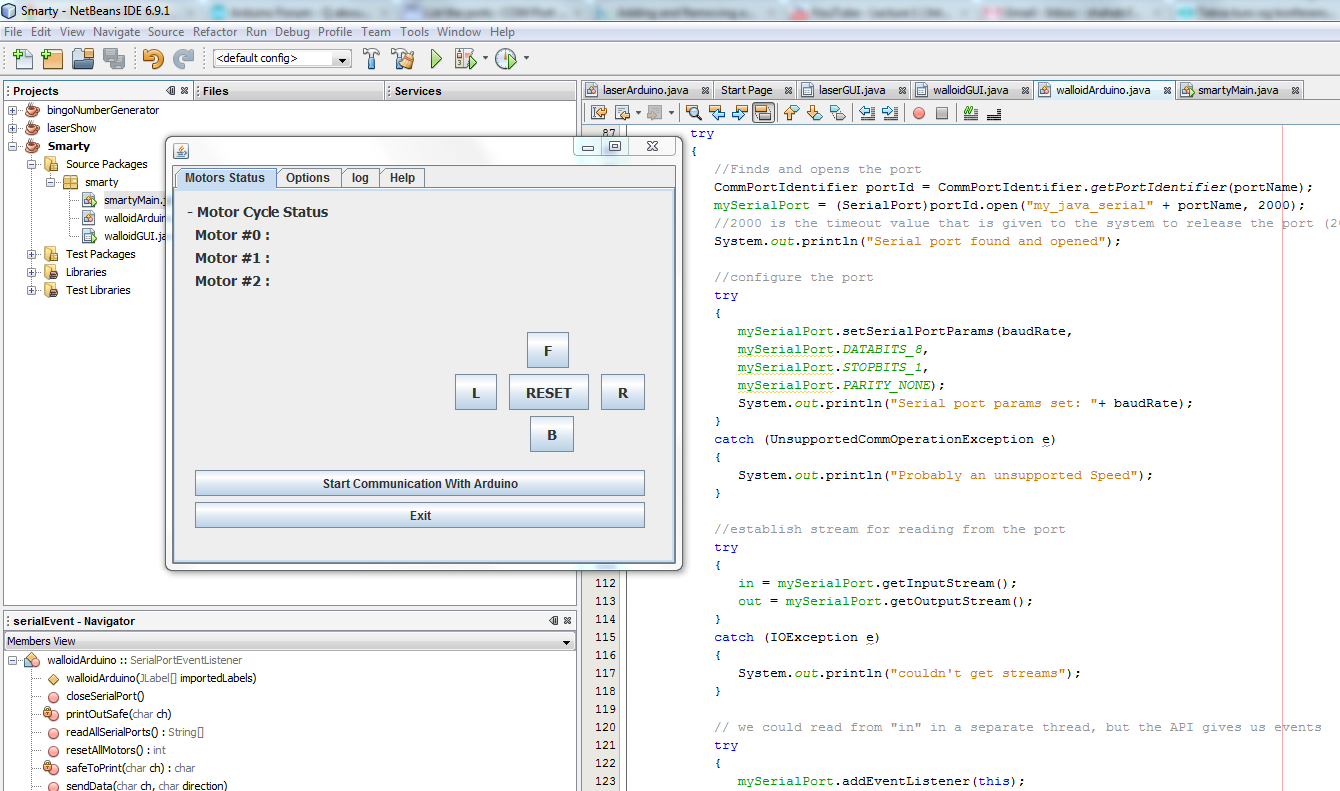
// Encoders inputs
byte pinEncA[] = {7,5,3}; // digital inputs
byte pinEncB[] = {6,4,2}; // digital inputs

// MOTOR OUTPUTS
byte pinDir[] = {13,8,12}; // digital output, controls direction for motor nr. [x]
byte pinPwm[] = {10,11,9}; // analog output, controls motor speed, nr. [x]

//Global variables
int readValue;
int pwmValue;
int motorDir;
//int channelA = 2;
//int channelB = 3;
int cycle[] = {0, 0, 0};

boolean f = false, b = false, r = false, l = false;
byte cyclecounter[] = {0, 0, 0};
byte cyclecounterold[] = {0, 0, 0};

//13 , 10 right, down
//8 , 11 middle, top
//9, 12 left, down


void setup(){

  Serial.begin(9600);
  Serial.println("WELCOME TO C1S0");
  for (int i=0; i < 3; i++){
    pinMode(pinDir[i], OUTPUT);
    pinMode(pinPwm[i], OUTPUT);
    //in case, just to be sure ...
    digitalWrite(pinPwm[i], LOW);
    // just in case to be sure
    digitalWrite(pinDir[i], LOW);
    pinMode(pinEncA[i], INPUT);
    pinMode(pinEncB[i], INPUT);
    digitalWrite(pinEncA[i], LOW);
    digitalWrite(pinEncB[i], LOW);
    cyclecounter[i] = 0;
    cyclecounterold[i] = 0;
  }//end of for

}//end of setup()

void loop(){
    commandCenter();
    checkEncoder();
}//end of loop

void commandCenter(){
  //variables
  int temp = 0;
  if ( Serial.available() > 0 ){
    readValue = Serial.read();
    switch (readValue){
      case 102 ://f -> forward
        Serial.println("*** Forward ***");
        digitalWrite(pinDir[1], LOW);
        digitalWrite(pinPwm[1], HIGH);
        f = true;
        b = false;
        l = false;
        r = false;
        break;
      case 98 ://b -> back
        Serial.println("*** Backward ***");
        digitalWrite(pinDir[1], HIGH);
        digitalWrite(pinPwm[1], HIGH);
        f = false;
        b = true;
        l = false;
        r = false;
        break;
      case 108 ://l -> left
        int temp_;
        temp_ = 0;
        if(Serial.available() < 1)
          ;
          delay(5);
          temp_ = Serial.read();
        if (temp_ == 102){// -f
          Serial.println("*** Left forward ***");
          digitalWrite(pinDir[2], LOW);
          digitalWrite(pinPwm[2], HIGH);
        }//end of if
        else if(temp_ == 98){// -b
          Serial.println("*** Left backward ***");
          digitalWrite(pinDir[2], HIGH);
          digitalWrite(pinPwm[2], HIGH);
        }
        else Serial.println("*** NOTHING ***");
        f = false;
        b = false;
        l = true;
        r = false;
        break;
      case 114 ://r -> right
        int temp__;
        temp__ = 0;
        if(Serial.available() < 0)
          ;
        delay(5);
        temp__ = Serial.read();
        if (temp__ == 102){// -f
          Serial.println("*** Right forward ***");
          digitalWrite(pinDir[0], LOW);
          digitalWrite(pinPwm[0], HIGH);
        }//end of if
        else if(temp__ == 98){// -b
          Serial.println("*** Right backward ***");
          digitalWrite(pinDir[0], HIGH);
          digitalWrite(pinPwm[0], HIGH);
        }
        f = false;
        b = false;
        l = false;
        r = true;
        break;
      case 82 : //R->RESET
        Serial.println("*** Resetting ***");
        for (int i=0; i < 3; i++){
          digitalWrite(pinPwm[i], LOW);//Setting all PWM's to LOW
          Serial.print("*** Cycle[");
          Serial.print(i);
          Serial.print("] = ");
          Serial.println(cycle[i]);
        }//end of for
        f = false;
        b = false;
        l = false;
        r = false;
        break;
    }//end of switch
  }
  /*
  if (f || b || r || l){
    Serial.print("cycle[i]: ");
    Serial.println(cycle[i]);
  }//end of if
  */
}//end of commandCenter

//int angleMaalt;

void checkEncoder(){
  int A;
  int B;
  int i;
  for (i = 0; i < 3; i++){
      A = digitalRead(pinEncA[i]);
      B = digitalRead(pinEncB[i]);

      if ( (A==LOW) && (B==LOW) )
        cyclecounter[i] = 0;
      else if ( (A==LOW) && (B==HIGH) )
        cyclecounter[i] = 1;
      else if ( (A==HIGH) && (B==HIGH) )
        cyclecounter[i] = 2;
      else if ( (A==HIGH) && (B==LOW) )
        cyclecounter[i] = 3;

      if (cyclecounter[i] == 0){
        Serial.print("CAME IN AS 0");
         if ( cyclecounterold[i] == 0){
            Serial.print("Case old is 0");
         }
         else if ( cyclecounterold[i] == 3){
            //angleMaalt++;
            Serial.println(cycle[i]);
            Serial.print("*** Changed cycle[");
            Serial.print(i);
            Serial.print("] = ");
            cycle[i]--;
            Serial.println(cycle[i]);
            Serial.println("++++++");
            Serial.print("cyccleCounter is : ");
            Serial.println(cyclecounter[i]);
            Serial.print("cyccleCounterOld is : ");
            Serial.println(cyclecounterold[i]);
          }
          else if ( cyclecounterold[i] == 2){
              Serial.println("Error reading from Encoder-");
              Serial.println("cyclecounter[i]");
              Serial.println(cyclecounter[i]);
              Serial.println("cyclecounterold[i]");
              Serial.println(cyclecounterold[i]);
          }
          else Serial.print("CRAP");
      }
      else if (cyclecounter[i] == 1){
          /*if ( cyclecounterold[i] == 2)
            angleMaalt--;
          else if ( cyclecounterold[i] == 0)
            angleMaalt++;
          else*/ if ( cyclecounterold[i] == 3){
              Serial.println("Error reading from Encoder--");
              Serial.println("cyclecounter[i]");
              Serial.println(cyclecounter[i]);
              Serial.println("cyclecounterold[i]");
              Serial.println(cyclecounterold[i]);
          }
      }
      else if (cyclecounter[i] == 2){
          /*if ( cyclecounterold[i] == 3)
            angleMaalt--;
          else if ( cyclecounterold[i] == 1)
            angleMaalt++;
          else*/ if ( cyclecounterold[i] == 0){
              Serial.println("Error reading from Encoder---");
              Serial.println("cyclecounter[i]");
              Serial.println(cyclecounter[i]);
              Serial.println("cyclecounterold[i]");
              Serial.println(cyclecounterold[i]);
          }
      }
      else if (cyclecounter[i] == 3){
          if (cyclecounterold[i] == 0){
            //angleMaalt--;
            Serial.println(cycle[i]);
            Serial.print("*** Changed cycle[");
            Serial.print(i);
            Serial.print("] = ");
            cycle[i]++;
            Serial.println(cycle[i]);
            Serial.print("++++++");
            Serial.print("cyccleCounter is : ");
            Serial.println(cyclecounter[i]);
            Serial.print("cyccleCounterOld is : ");
            Serial.println(cyclecounterold[i]);
          }
          /*else if ( cyclecounterold[i] == 2)
            angleMaalt++;*/
          else if ( cyclecounterold[i] == 1){
              Serial.println("Error reading from Encoder----");
              Serial.println("cyclecounter[i]");
              Serial.println(cyclecounter[i]);
              Serial.println("cyclecounterold[i]");
              Serial.println(cyclecounterold[i]);
          }
      }


      cyclecounterold[i] = cyclecounter[i];
  }//end of for

}//end of checkEncoder()

// Encoders inputs
byte pinEncA[] = {7,5,3}; // digital inputs
byte pinEncB[] = {6,4,2}; // digital inputs

// MOTOR OUTPUTS
// digital output, controls direction for motor nr. [x]
byte pinDir[] = {13,8,12};
// analog output, controls motor speed, nr. [x]
byte pinPwm[] = {10,11,9};

//Global variables
int readValue;
int pwmValue;
int motorDir;
int cycle;

boolean f = false, b = false, r = false, l = false;
byte cycleCounter;
byte cycleCounterOld;

void setup(){
  Serial.begin(9600);
  Serial.println("WELCOME TO C1S0");
  for (int i=0; i < 3; i++){
    pinMode(pinDir[i], OUTPUT);
    pinMode(pinPwm[i], OUTPUT);
    //in case, just to be sure ...
    digitalWrite(pinPwm[i], LOW);
    //in case, just to be sure ...
    digitalWrite(pinDir[i], LOW);
    pinMode(pinEncA[i], INPUT);
    pinMode(pinEncB[i], INPUT);
  }//end of for
}//end of setup()

void loop(){

//  digitalWrite(pinDir[2], LOW);
//  digitalWrite(pinPwm[2], HIGH);
//  Serial.println("...");
  //if ( Serial.available() > 0 )
    commandCenter();
    readFromEncoder();
    //Serial.print("cycle: ");
    //Serial.println(cycle);
}//end of loop

void commandCenter(){
  //variables
  int temp = 0;
//  while (Serial.available() < 0)
//    ;
  if ( Serial.available() > 0 ){
    readValue = Serial.read();
    switch (readValue){
      case 102 ://f -> forward
        Serial.println("*** Forward ***");
        digitalWrite(pinDir[1], LOW);
        digitalWrite(pinPwm[1], HIGH);
        f = true;
        b = false;
        l = false;
        r = false;
        break;
      case 98 ://b -> back
        Serial.println("*** Backward ***");
        digitalWrite(pinDir[1], HIGH);
        digitalWrite(pinPwm[1], HIGH);
        f = false;
        b = true;
        l = false;
        r = false;
        break;
      case 108 ://l -> left
        Serial.println("*** Left ***");
        digitalWrite(pinDir[2], LOW);
        digitalWrite(pinPwm[2], HIGH);
        f = false;
        b = false;
        l = true;
        r = false;
        break;
      case 114 ://r -> right
        Serial.println("*** Right ***");
        digitalWrite(pinDir[0], LOW);
        digitalWrite(pinPwm[0], HIGH);
        f = false;
        b = false;
        l = false;
        r = true;
        break;
      case 82 : //R->RESET
        Serial.println("*** Resetting ***");
        for (int i=0; i < 3; i++){
          //Setting all PWM's to LOW
          digitalWrite(pinPwm[i], LOW);
        }//end of for
        f = false;
        b = false;
        l = false;
        r = false;
        break;
    }//end of switch
  }
}//end of commandCenter

int angleCount;

void readFromEncoder(){
  int A;
  int B;

  A = digitalRead(pinEncA[1]);
  B = digitalRead(pinEncB[1]);
  digitalWrite(13, A);

  if ( (A==LOW) && (B==LOW) )
    cycleCounter = 0;
  else if ( (A==LOW) && (B==HIGH) )
    cycleCounter = 1;
  else if ( (A==HIGH) && (B==HIGH) )
    cycleCounter = 2;
  else if ( (A==HIGH) && (B==LOW) )
    cycleCounter = 3;

  switch(cycleCounter)
  {
  case 0:
    if ( cycleCounterOld == 1)
      angleCount--;
    else if ( cycleCounterOld == 3){
      angleCount++;
      Serial.print("cycle: ");
      Serial.println(cycle);
      cycle--;
    }
    else if ( cycleCounterOld == 2){
        Serial.println("Error reading from Encoder");
        Serial.println("cycleCounter");
        Serial.println(cycleCounter);
        Serial.println("cycleCounterOld");
        Serial.println(cycleCounterOld);
    }
    break;

  case 1:
    if ( cycleCounterOld == 2)
      angleCount--;
    else if ( cycleCounterOld == 0)
      angleCount++;
    else if ( cycleCounterOld == 3){
        Serial.println("Error reading from Encoder");
        Serial.println("cycleCounter");
        Serial.println(cycleCounter);
        Serial.println("cycleCounterOld");
        Serial.println(cycleCounterOld);
    }
    break;

  case 2:
    if ( cycleCounterOld == 3)
      angleCount--;
    else if ( cycleCounterOld == 1)
      angleCount++;
    else if ( cycleCounterOld == 0){
        Serial.println("Error reading from Encoder");
        Serial.println("cycleCounter");
        Serial.println(cycleCounter);
        Serial.println("cycleCounterOld");
        Serial.println(cycleCounterOld);
    }
    break;

  case 3:
    if ( cycleCounterOld == 0){
      angleCount--;
      Serial.print("cycle: ");
      Serial.println(cycle);
      cycle++;
    }
    else if ( cycleCounterOld == 2)
      angleCount++;
    else if ( cycleCounterOld == 1){
        Serial.println("Error reading from Encoder");
        Serial.println("cycleCounter");
        Serial.println(cycleCounter);
        Serial.println("cycleCounterOld");
        Serial.println(cycleCounterOld);
    }
    break;
  }
  cycleCounterOld = cycleCounter;
}

int pin = 13;
volatile int state = LOW;

void setup()
{
  pinMode(pin, OUTPUT);
  attachInterrupt(0, blink, CHANGE);
}

void loop()
{
  digitalWrite(pin, state);
}

void blink()
{
  state = !state;
}


